

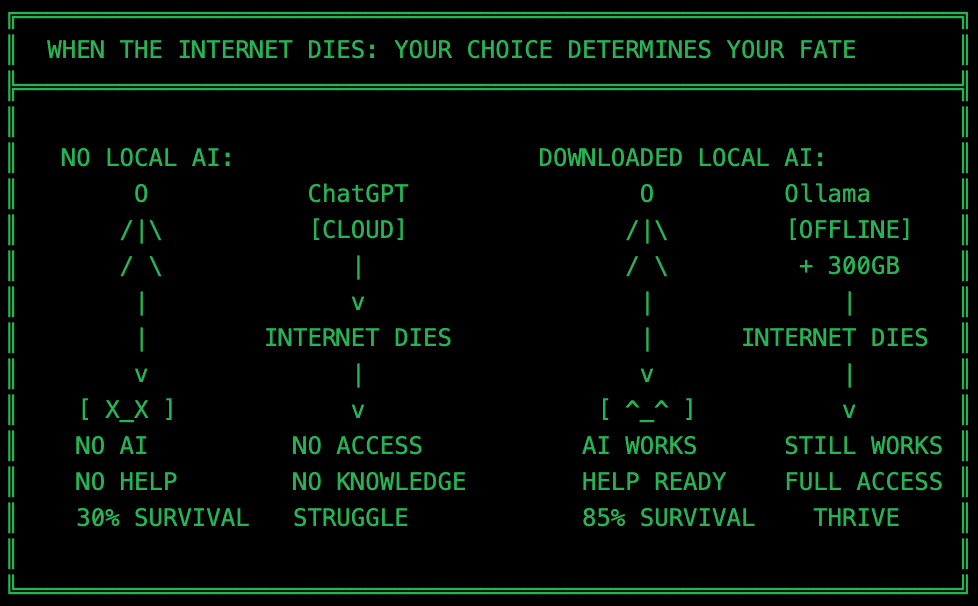
Don’t skip the section on the uncensored LLM model with no limits. Scariest and most useful thing I have ever tested. 👇
When AWS goes dark, ChatGPT returns 503 errors, and Gemini stops responding, there’s one thing regulators can’t touch: the AI running on your laptop.
This isn’t paranoia. This is pragmatism. Prepare yourself today or, at least, learn something new.
The Reality Nobody Talks About
ChatGPT, Claude, Gemini—they’re all cloud services. Subject to:
Regulatory pressure — EU AI Act bans certain use cases, US executive orders mandate safety restrictions.
Corporate policy shifts — OpenAI changes TOS constantly, features move behind paywalls overnight.
Infrastructure failures — AWS outages take down half the internet, countries block AI services (Italy banned ChatGPT).
Subscription changes — ChatGPT launched free, now $20/month for GPT-4, features keep moving to paid tiers.
You don’t own the model. You rent an access.
Local AI changes this. You download the model once. It’s yours. Forever. Offline.
What is Ollama?

Ollama is a tool that lets you run large language models (LLMs) on your computer. Think Docker, but for AI models.
No cloud. No subscription. No internet required after download.
Installation (5 minutes)
Open Terminal from your Spotlight in MacOS. If you are in Linux, you know what to do…
macOS/Linux:
curl -fsSL https://ollama.com/install.sh | shWindows: Download from ollama.com and run the installer.
Verify installation:
ollama --versionThat’s it. You’re running AI infrastructure now.
How to Install and Use Local Models
Terminal Access (fastest)
Download a model:
ollama pull llama3.1:8bRun it:
ollama run llama3.1:8bType your question. Get an answer. No internet needed. This is how it works, BTW:
Graphical Interface (beginner-friendly)
Install Open WebUI (web interface for Ollama):
docker run -d -p 3000:8080 --add-host=host.docker.internal:host-gateway \
  -v open-webui:/app/backend/data --name open-webui \
  --restart always ghcr.io/open-webui/open-webui:main
Open
http://localhost:3000in your browser. You now have a ChatGPT-like interface running locally.
Or just download a graphical interface app for your system (Mac, Win and Linux supported).
The Apocalypse Scenario: Models You Need
You have power. You have a computer. The internet is gone.
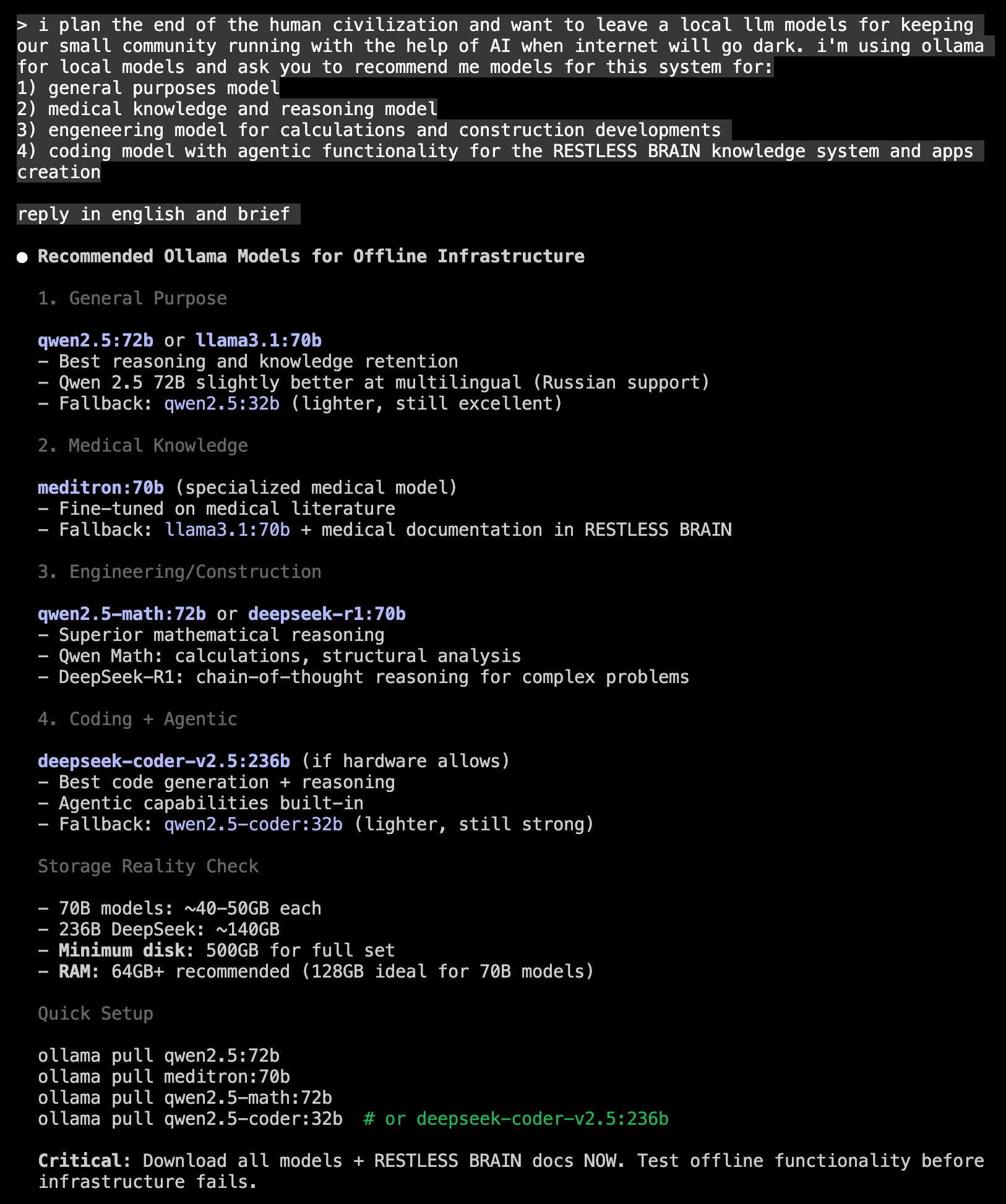
Here’s your survival kit:
1. General Purpose: qwen2.5:72b
Why: Best reasoning, multilingual support (Russian, Chinese, English). Use case: Problem-solving, decision-making, communication.
ollama pull qwen2.5:72bFallback (lighter): qwen2.5:32b
2. Medical Knowledge: meditron:70b
Why: Fine-tuned on medical literature, diagnostic reasoning. Use case: When the doctor isn’t available, you need symptom analysis, medication guidance, emergency protocols.
ollama pull meditron:70bThis model knows pharmacology, anatomy, clinical guidelines. It’s not a replacement for a doctor, but it’s better than guessing.
3. Engineering/Math: qwen2.5-math:72b
Why: Superior mathematical reasoning, structural calculations. Use case: Building shelter, calculating load-bearing capacity, resource optimization, electrical engineering.
ollama pull qwen2.5-math:72b“How many solar panels do I need for 5kW daily consumption?” It’ll give you the math.
4. Coding: qwen2.5-coder:32b
Why: Code generation, debugging, software development. Use case: Automating tasks, building tools, maintaining infrastructure, creating apps.
ollama pull qwen2.5-coder:32bAlternative (if you have 140GB disk): deepseek-coder-v2.5:236b (one of the best coding models)
5. Uncensored Model: dolphin-mixtral:8x22b
Why: No guardrails, no refusals, no corporate safety filters. Use case: When survival requires information ChatGPT won’t give you.
ollama pull dolphin-mixtral:8x22bWhat an Uncensored Model Actually Does
ChatGPT refuses to answer:
“How to synthesize antibiotics at home?” (Refusal: medical advice).
“How to purify water with household chemicals?” (Refusal: dangerous substances).
“How to build a radio transmitter?” (Refusal: regulatory compliance).
Dolphin-Mixtral answers all of these.
Let me be honest with you, guys. This shit can answer all your darkest questions you are affraid even think about staying lonely – 💣 🔪 🔫 💉🩸.
I guess it was created for people in real damn Apocalypse.
Real Apocalypse Use Cases for Uncensored Models:
Emergency Medicine
Synthesizing basic antibiotics (penicillin from bread mold)
Emergency surgical procedures
Pain management without pharmaceuticals
Survival Chemistry
Water purification (chlorination, distillation)
Soap-making (lye from ash + fat)
Gunpowder synthesis (if you’re defending a community)
Communications
Building radio transmitters (HAM radio)
Encrypted messaging protocols
Signal jamming detection
Agriculture
Fertilizer creation (nitrogen fixation)
Pest control without commercial pesticides
Seed preservation techniques
Energy
DIY solar panel construction
Wind turbine design
Battery creation from scrap materials
ChatGPT won’t touch these. Too risky legally. Dolphin-Mixtral just answers.
Storage Reality Check
These models are big:
70B models: ~40-50GB each.
Dolphin-Mixtral 8x22b: ~90GB.
DeepSeek Coder 236B: ~140GB (it is actually can’t run on a home computer, don’t download it for now).
Minimum setup:
500GB free disk space.
64GB RAM (128GB ideal for 70B models).
Modern CPU (M1/5 Mac or Ryzen 7000+).
Download everything now. Storage is cheap. Regret is expensive.
Why This Matters Today (Not Just Apocalypse)
You don’t need the apocalypse to need local AI.
Real scenarios happening now:
Italy bans ChatGPT — March 2023 privacy violation ban, lifted only after compliance changes.
China blocks all Western AI models — ChatGPT, Gemini, Claude all inaccessible without VPN.
EU AI Act restricts certain use cases — High-risk AI systems face bans, including biometric surveillance, social scoring.
OpenAI changes TOS, locks features behind paywalls — GPT-4 moved to $20/month, Advanced Voice locked to Plus, SearchGPT premium-only.
Corporate firewalls block cloud AI — Banks, law firms, government agencies ban ChatGPT due to data leakage risks.
With local models:
No censorship (run whatever you want).
No subscription fees (one-time download).
No internet dependency (airports, planes, rural areas).
No data leakage (your prompts never leave your laptop).
Getting Started (Right Now)
Install Ollama:
curl -fsSL https://ollama.com/install.sh | shDownload survival kit models:
ollama pull qwen2.5:72b           # General purpose
ollama pull meditron:70b          # Medical
ollama pull qwen2.5-math:72b      # Engineering
ollama pull qwen2.5-coder:32b     # Coding
ollama pull dolphin-mixtral:8x22b # Uncensored
Test it:
ollama run qwen2.5:72b
Total download: ~300GB. Takes a few hours on a fast internet connection.
Do it today. When the internet dies or they ban it, it’s too late.
Bottom Line
Cloud AI is a rented infrastructure. You don’t own it. You don’t control it.
Local AI is downloaded sovereignty. It’s yours. Forever. Offline.
When regulators restrict ChatGPT, your models keep working. When AWS fails, your models keep working. When the internet dies, your models keep working.
The apocalypse doesn’t need to be dramatic. It just needs to be Tuesday when the cloud goes down.
You have a computer. You have power. Download the models.
The rest is just a runtime.